Apple TV 4K User Guide
- Welcome
- What’s new in tvOS 26
-
-
- Stream audio and video to Apple TV 4K
- Use HomePod or AirPlay-enabled speakers with Apple TV 4K
- Use AirPods or Beats with Apple TV 4K
- Connect Bluetooth devices
- Use your iPhone, iPad or Apple Watch as a remote
- Manage incoming iPhone calls
- Use your iPhone or iPad as a keyboard
- Use your iPhone or iPad as a camera
- Use Siri on other devices to control Apple TV 4K
-
-
- TV app at a glance
- Navigate the Apple TV app
- Subscribe to Apple TV or a channel
- Start watching on the Home screen
- Control video playback
- Search in the Apple TV app
- Watch Apple Originals
- Watch MLS
- Watch Formula 1
- Buy or rent movies and TV shows
- View movies and TV shows in your library
- Manage recommendations
- Adjust TV app settings
-
- Music app at a glance
- Subscribe to Apple Music
- Start listening on the Home screen
- Control music playback
- Search for songs, artists and albums
- Discover new music
- About Apple Music Sing
- Play music together using SharePlay
- Listen to radio stations
- Watch music videos
- Browse music in your library
- See what your friends are listening to
- Manage recommendations
- Adjust Music app settings
- Sing
-
- Fitness app at a glance
- Connect your Apple Watch or iPhone
- Subscribe to Apple Fitness+
- Start working out in the For You screen
- View workout details and control playback
- Browse or search for workouts
- Save workouts for later
- Combine workouts with Stacks
- View and manage Fitness+ plans
- Work out together using SharePlay
- App Store
- Search
-
- Copyright and trademarks
Change appearance settings on Apple TV 4K
Go to Settings
 on Apple TV 4K.
Go to General > Appearance, then do any of the following:
Change the appearance of backgrounds and menus: Select Light, Dark or Automatic.
When set to Automatic, the appearance shifts from Light during daytime hours to Dark during night-time hours.
Increase the size of onscreen items: Select Default or Large.
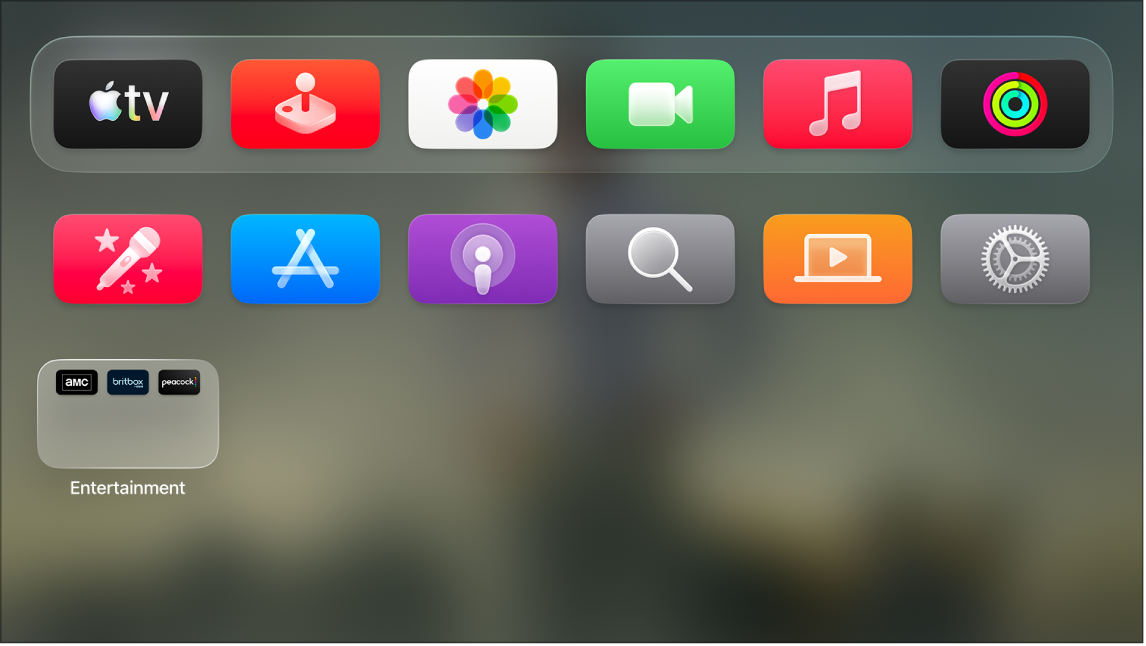
When Large is selected, the top row of the Home Screen shows five icons instead of six.
உங்கள் கருத்திற்கு நன்றி.