Check the weather on Apple Watch
Siri: Say something like: “What’s tomorrow’s forecast for Honolulu?”
Check weather conditions
See the current temperature and conditions for the day: Open the Weather app
 on your Apple Watch. Tap a city, then tap the display to cycle through hourly forecasts of rain, conditions, or temperature.
See air quality, UV index, and wind speed information, and a 10-day forecast: Tap a city, then scroll down.
Tap < in the top-left corner to return to the list of cities.
Note: Air quality readings not available in all regions.
Change weather metrics
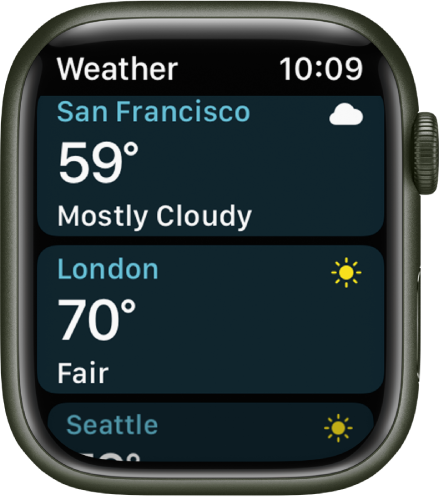
When viewing the list of cities in the Weather app , you can choose a different metric to display below each city.
Open the Weather app on your Apple Watch.
Swipe down, then tap Viewing.
Choose Temperature, Conditions, or Precipitation.
Add a city
Open the Weather app
on your Apple Watch.Scroll to the bottom of the list of cities, then tap Add City.
Type the city name (Apple Watch Series 7 only), or use Scribble or dictation to enter the city name.
To use Scribble on Apple Watch Series 7, swipe up from the bottom of the screen, then tap Scribble.
Note: Scribble is not available in all languages.
Tap Done, then tap the city name in the list of results.
The Weather app on your iPhone shows the same cities, in the same order, that you add to the Weather app on your Apple Watch. See the iPhone User Guide for information about setting up the Weather app on your iPhone.
Remove a city
Open the Weather app
on your Apple Watch.In the list of cities, swipe the city you want to remove to the left, then tap X.
The city is removed from your Apple Watch and iPhone.
Choose your default city
Open the Settings app
 on your Apple Watch.
Tap Weather, tap Default City, then choose a city.
You can also open the Apple Watch app on your iPhone, tap My Watch, then go to Weather > Default City.
Conditions for that city are shown on the watch face, if you’ve added weather to the face.
See weather advisories
When a significant weather event is predicted, a notification may appear at the top of the Weather app. To learn more about the event, tap Learn More.
Download this guide: Apple Books | PDF