
Customize VoiceOver with VoiceOver Utility on Mac
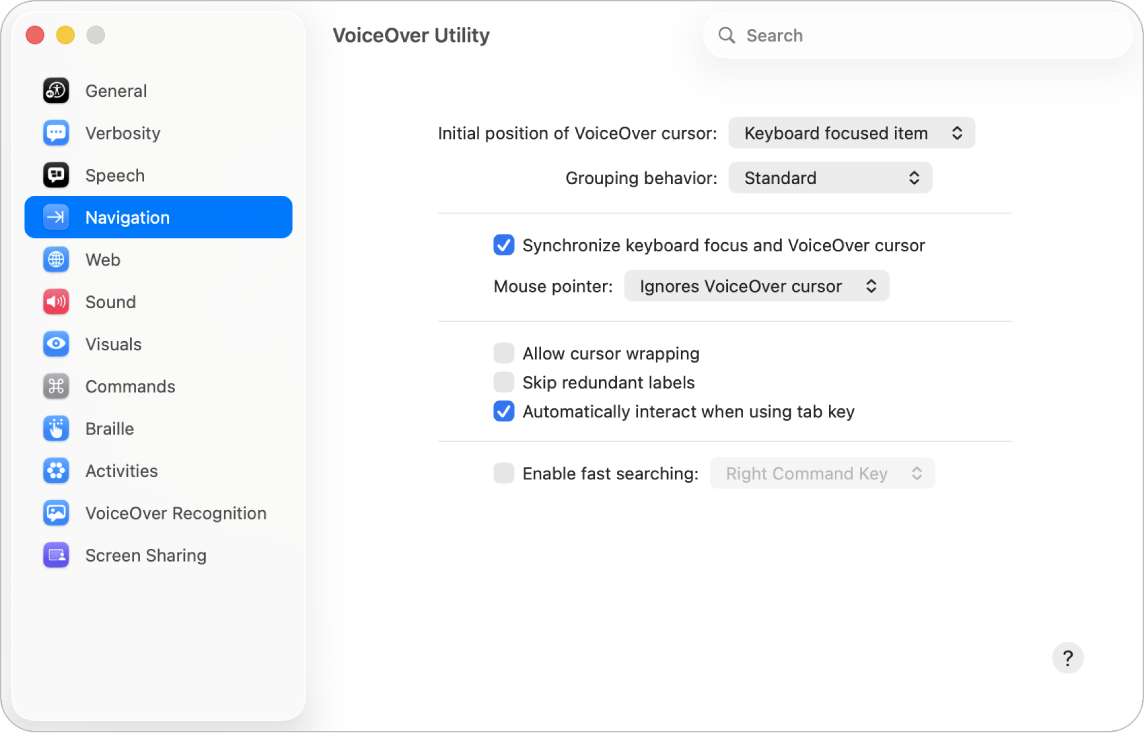
VoiceOver Utility is the app you use to customize VoiceOver settings. To learn about the options, click the Help button in the lower-right corner of any pane in VoiceOver Utility.
Note: VO represents the VoiceOver modifier that you press with additional keys to enter VoiceOver commands. By default, you can press Control and Option together or just press Caps Lock.
Open VoiceOver Utility
To open VoiceOver Utility on your Mac, do one of the following:
When VoiceOver is on, press VO-Fn-F8.
Press Command-Space bar to open the Spotlight window, type “VoiceOver Utility”, then press the Return key.
Choose Apple menu

 in the sidebar (you may need to scroll down). Click VoiceOver, then click Open VoiceOver Utility.
Search for an option in VoiceOver Utility
Interact with the toolbar in the VoiceOver Utility window.
Type what you’re looking for in the search field.
Press Down Arrow or Up Arrow to navigate to the search result you want, then press the Return key to go to the VoiceOver Utility pane for that result.
If you change a setting by mistake and VoiceOver no longer works as you expect, you can start VoiceOver in Recovery Mode. In Recovery Mode, you can control VoiceOver using the default settings and use VoiceOver Utility to reset your settings. See Reset VoiceOver Preferences.
Download this guide in Braille Ready Format: BRF (English)