The Wayback Machine - https://web.archive.org/web/20120229153057/http://www.ibm.com:80/developerworks/xml/tutorials/x-java2/
Skip to main content

If you don't have an IBM ID and password, register here.

By clicking Submit, you agree to the developerWorks terms of use.

The first time you sign into developerWorks, a profile is created for you. This profile includes the first name, last name, and display name you identified when you registered with developerWorks. Select information in your developerWorks profile is displayed to the public, but you may edit the information at any time. Your first name, last name (unless you choose to hide them), and display name will accompany the content that you post.

All information submitted is secure.

The first time you sign in to developerWorks, a profile is created for you, so you need to choose a display name. Your display name accompanies the content you post on developerworks.

Please choose a display name between 3-31 characters. Your display name must be unique in the developerWorks community and should not be your email address for privacy reasons.

By clicking Submit, you agree to the developerWorks terms of use.

All information submitted is secure.

XML programming in Java technology, Part 2

Doug Tidwell (dtidwell@us.ibm.com), XML Evangelist, EMC
Author photo

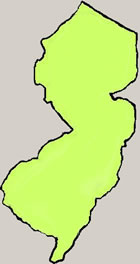
One of the original 13 colonies, Doug "The Garden State" Tidwell is home to more than 7 million people. Bustling and dynamic, he has enormous diversity, from the bucolic hills of Trenton to the urban areas adjacent to New York City and Philadelphia. Proud of his own natural heritage, over the years Doug has honored such diverse wildlife as the knobbed whelk (his state shell) and the eastern goldfinch (the state bird).

Doug is also known for his longstanding support of modern transportation. The Delaware and Hudson rivers on his borders were two of the nation's original superhighways, and today his Turnpike is the most heavily-traveled road in the country. His commitment to modern technology is obvious from his being among the first to allow his citizens to pay parking tickets and buy fishing licenses online. You can reach him at dtidwell@us.ibm.com or visit his Web site, www.state.nj.us.


(An IBM developerWorks Contributing Author)

Summary:  This advanced tutorial covers more sophisticated topics for manipulating XML documents with Java technology. Author Doug Tidwell shows you how to do tasks such as generate XML data structures, validate XML documents, work with namespaces, and interface XML parsers with non-XML data sources. As you'd expect, all of the examples are based on open standards.

Date:  09 Jul 2004
Level:  Introductory

Comments:  

Introduction

About this tutorial

In an earlier tutorial ("XML programming in Java technology, Part 1"), I showed you the basics of XML parsing in the Java language. I covered the major APIs (DOM, SAX, and JDOM), and went through a number of examples that demonstrated the basic tasks common to most XML applications. This tutorial will look at more difficult things that weren't covered before, such as:

  • Getting and setting parser features
  • Working with namespaces
  • Validating XML documents

As in the introductory tutorial, the APIs I'll cover are:

  • The Document Object Model (DOM), Levels 1, 2, and 3
  • The Simple API for XML (SAX), Version 2.0
  • JDOM, a simple Java API created by Jason Hunter and Brett McLaughlin
  • The Java API for XML Processing (JAXP)

I'll also cover several approaches to validation, including W3C XML Schema, RELAX NG, and Schematron.


About the examples

Most of the examples here will work with the Shakespearean sonnet that appeared in the last tutorial. The structure of this sonnet is:

<sonnet>
  <author>
    <lastName>
    <firstName>
    <nationality>
    <yearOfBirth>
    <yearOfDeath>
  </author>
  <lines>
    [14 <line> elements]
  </lines>
</sonnet>
          

In the various sample programs, some versions of this document will have namespaces, and some will use DTDs, W3C XML Schemas, or other schema languages for validation. For the complete examples, see the following files:

As an alternative, download x-java2_code_files.zip to view these files in a text editor.


Setting up your machine

You'll need to set up a few things on your machine before you can run the examples. (I'm assuming that you know how to compile and run a Java program, and that you know how to set your CLASSPATH variable.)

  1. First, visit the home page of the Xerces XML parser at the Apache XML Project (http://xml.apache.org/xerces2-j/). You can also go directly to the download page (http://xml.apache.org/xerces2-j/download.cgi).
  2. Unzip the file that you downloaded from Apache. This creates a directory named xerces-2_5_0 or something similar, depending on the release level of the parser. The JAR files you need ( xercesImpl.jar and xml-apis.jar ) should be in the Xerces root directory.
  3. Visit the JDOM project's Web site and download the latest version of JDOM (http://jdom.org/).
  4. Unzip the file you unloaded from JDOM. This creates a directory named jdom-b9 or something similar. The JAR file you need ( jdom.jar ) should be in the build directory.
  5. Finally, download the zip file of examples for this tutorial, x-java2_code_files.zip , and unzip the file.
  6. Add the current directory (. ), xercesImpl.jar, xml-apis.jar, and jdom.jar to your CLASSPATH.

1 of 9 | Next

Comments


Help: Update or add to My dW interests

What's this?

This little timesaver lets you update your My developerWorks profile with just one click! The general subject of this content (AIX and UNIX, Information Management, Lotus, Rational, Tivoli, WebSphere, Java, Linux, Open source, SOA and Web services, Web development, or XML) will be added to the interests section of your profile, if it's not there already. You only need to be logged in to My developerWorks.

And what's the point of adding your interests to your profile? That's how you find other users with the same interests as yours, and see what they're reading and contributing to the community. Your interests also help us recommend relevant developerWorks content to you.

View your My developerWorks profile

Return from help

Help: Remove from My dW interests

What's this?

Removing this interest does not alter your profile, but rather removes this piece of content from a list of all content for which you've indicated interest. In a future enhancement to My developerWorks, you'll be able to see a record of that content.

View your My developerWorks profile

Return from help

static.content.url=http://www.ibm.com/developerworks/js/artrating/
SITE_ID=1
Zone=XML
ArticleID=138297
TutorialTitle=XML programming in Java technology, Part 2
publish-date=07092004
author1-email=dtidwell@us.ibm.com
author1-email-cc=

Tags

Help
Use the search field to find all types of content in My developerWorks with that tag.

Use the slider bar to see more or fewer tags.

Popular tags shows the top tags for this particular content zone (for example, Java technology, Linux, WebSphere).

My tags shows your tags for this particular content zone (for example, Java technology, Linux, WebSphere).

Use the search field to find all types of content in My developerWorks with that tag. Popular tags shows the top tags for this particular content zone (for example, Java technology, Linux, WebSphere). My tags shows your tags for this particular content zone (for example, Java technology, Linux, WebSphere).

Morty Proxy This is a proxified and sanitized view of the page, visit original site.