Region
Regions appear as rounded rectangles in the Tracks area. They represent the recordings and added media files in a project and act as a container for audio or MIDI events.
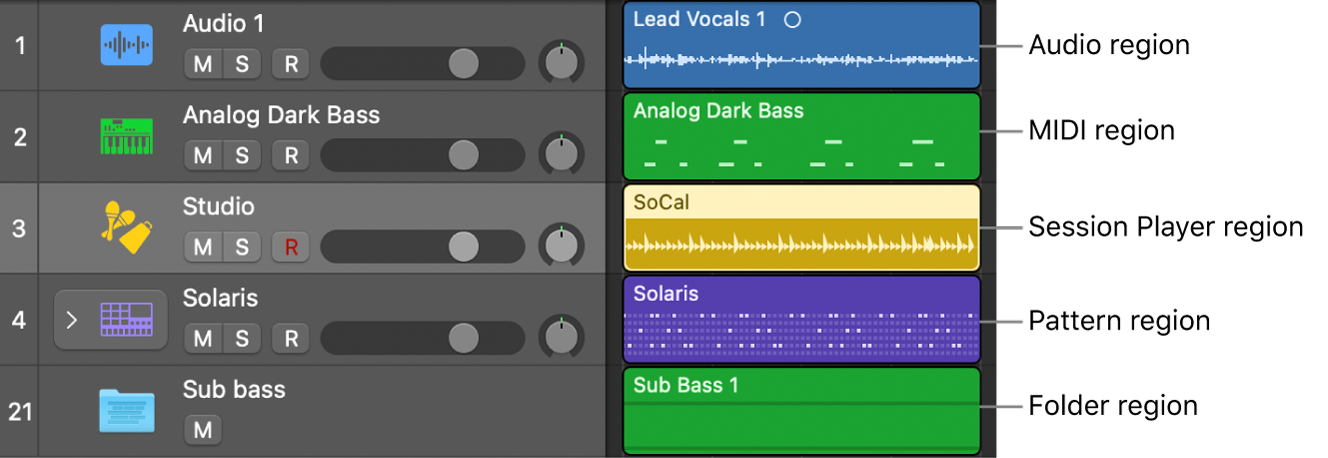
There are five types of regions: audio regions, MIDI regions, Session Player regions, pattern regions, and folder regions (usually referred to as folders). By default, each region type uses a different color: Audio regions are blue, MIDI regions green, Session Player regions yellow, and pattern regions violet.
Tracks have a default region type, which you can change in the Track inspector.