Apple Watch User Guide
- Welcome
- What’s new
- Run with Apple Watch
-
- Alarms
- Audiobooks
- Blood Oxygen
- Calculator
- Calendar
- Camera Remote
- ECG
- Medications
- Memoji
- Music Recognition
- News
- Now Playing
- Remote
- Shortcuts
- Siren
- Stocks
- Stopwatch
- Tides
- Timers
- Use the Tips app
- Translate
- Vitals
- Voice Memos
- Walkie-Talkie
- World Clock
- Copyright and trademarks
Stay connected with Apple Watch
Apple Watch makes it easy to communicate with friends, family, and coworkers, even when your iPhone isn’t with you.
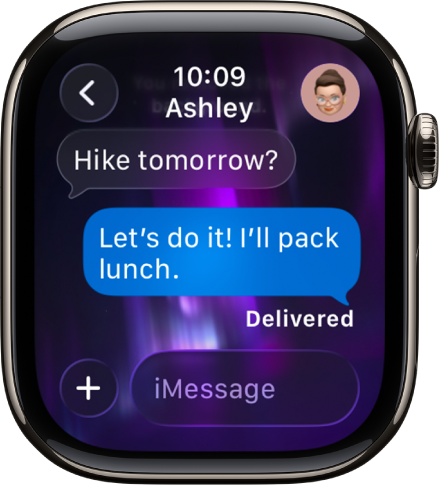
Send a message, right from your wrist
Quickly respond to a message with Siri. When Apple Watch is connected to Wi-Fi or cellular, just raise your wrist and say, “Tell Julie I’ll be there in five minutes.” Or touch and hold the message to give your friend a thumbs up with a Tapback reply.

Make a call
Use Siri to help you make a quick call. For an Apple Watch with a cellular or Wi-Fi connection, raise your wrist and say “Call Mom.” If you have a Wi-Fi connection, a simple “FaceTime Mom” does the trick. You can also join a Group FaceTime audio call.

Share your live location
Meeting a friend? Apple Watch can let them know where you are and update your location automatically. Open the Messages app  , start a new message or open a conversation, tap
  , tap Location, then start sharing your location.
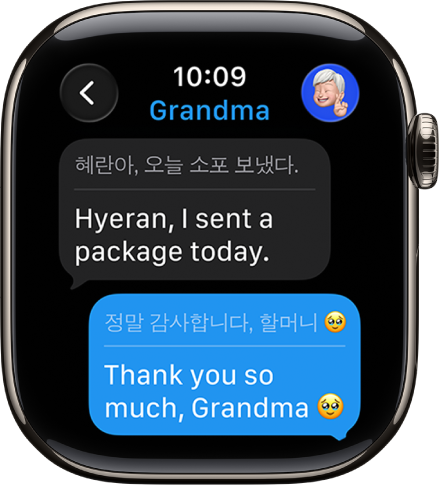
Communicate across languages
You can automatically translate texts in Messages. Just open a conversation and send a message in a preferred language.