Keynote User Guide for iPhone
- Welcome
- What’s new
-
- Get started with Keynote
- Intro to images, charts and other objects
- Create a presentation
- Choose how to navigate your presentation
- Open a presentation
- Save and name a presentation
- Find a presentation
- Print a presentation
- Copy text and objects between apps
- Basic touchscreen gestures
- Create a presentation using VoiceOver
- Change Keynote privacy and analytics settings
-
- Send a presentation
- Intro to collaboration
- Invite others to collaborate
- Collaborate on a shared presentation
- See the latest activity in a shared presentation
- Change a shared presentation’s settings
- Stop sharing a presentation
- Shared folders and collaboration
- Use Box to collaborate
- Create an animated GIF
- Post your presentation in a blog
- Copyright

Resize, move or lock a table in Keynote on iPhone
Resize a table
Resizing a table makes the table larger or smaller; it doesn’t change the number of rows and columns it contains.
Go to the Keynote app
 on your iPhone.
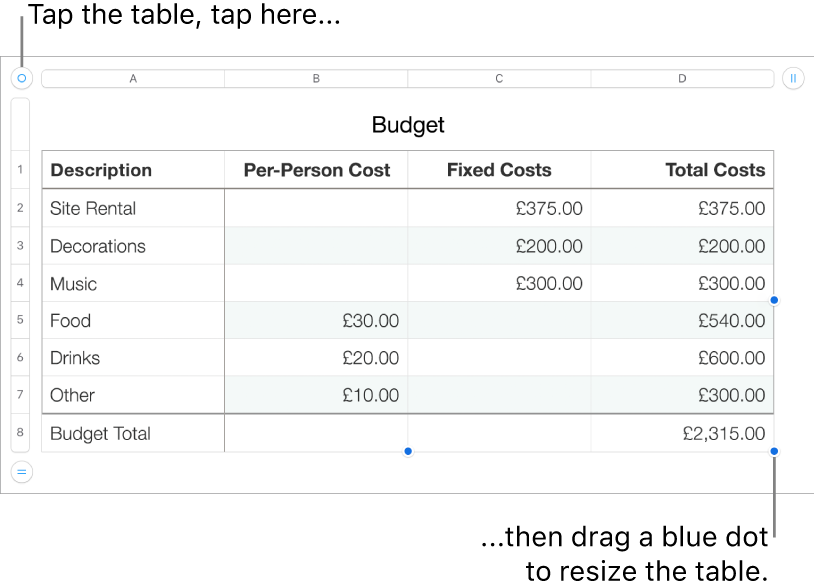
Open a presentation with a table, tap the table, then tap
 in its top-left corner.
Drag any of the blue dots on the edge of the table to make the table larger or smaller.
To resize the rows and columns simultaneously, drag the dot in the corner.
Move a table
Go to the Keynote app
on your iPhone.Open a presentation with a table, tap the table, then drag
in its top-left corner.
Lock or unlock a table
You can lock a table so that it can’t be edited, moved or deleted.
Go to the Keynote app
on your iPhone.Open a presentation with a table, then do one of the following:
Lock a table: Tap the table, tap
 , tap Arrange, then tap Lock.
Unlock a table: Tap the table, then tap Unlock.