Pages User Guide for iPad
- Welcome
- What’s new
-
- Get started with Pages
- Word-processing or page layout?
- Intro to images, charts, and other objects
- Find a document
- Open a document
- Save and name a document
- Print a document or envelope
- Copy text and objects between apps
- Basic touchscreen gestures
- Use Apple Pencil with Pages
- Change Pages privacy and analytics settings
- Copyright

Align and justify text in Pages on iPad
You can adjust paragraphs in a page, column, table cell, text box, or shape so that text is aligned to the left or right, centered, or aligned on both the left and right (justified).
You can also align text vertically in a text box, shape, or a table cell, column, or row.
Select text or tap a text box or a shape with text to select it; if you’re working in a table, tap a table cell or select a row or column.
Do one of the following:
Tap
 in the shortcut bar above the keyboard, then tap an alignment option.
Tap
 , then tap one of the alignment buttons (scroll down to see them).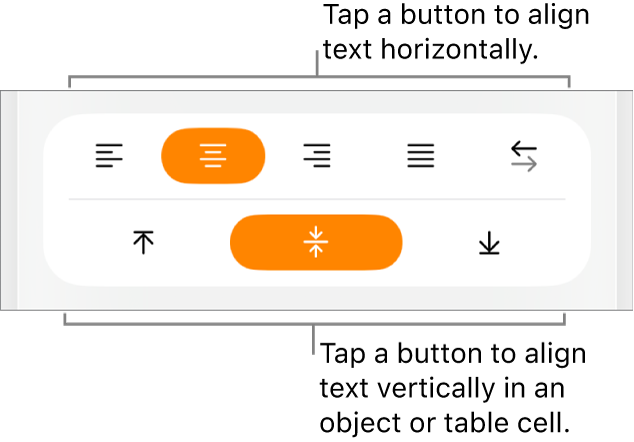
See alsoSet tab stops in Pages on iPadSet paper size and orientation in Pages on iPadUse alignment guides in Pages on iPadShow or hide the ruler in Pages on iPad
Pateicamies par atsauksmēm!