Apple Watch User Guide
- Welcome
- What’s new
- Run with Apple Watch
-
- Alarms
- Audiobooks
- Blood Oxygen
- Calculator
- Calendar
- Camera Remote
- ECG
- Medications
- Memoji
- Music Recognition
- News
- Now Playing
- Remote
- Shortcuts
- Siren
- Stocks
- Stopwatch
- Tides
- Timers
- Use the Tips app
- Translate
- Vitals
- Voice Memos
- Walkie-Talkie
- World Clock
- Copyright and trademarks
Play audiobooks on Apple Watch
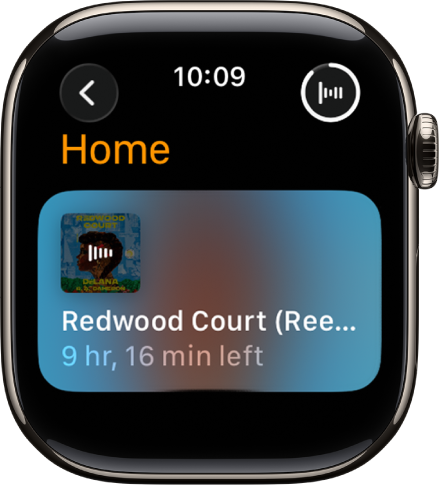
You can use the Audiobooks app to play content from Apple Books. Play audiobooks stored locally on your Apple Watch or stream them from your iPhone. Listen through your paired iPhone, Bluetooth headphones or speakers, or the Apple Watch speaker on supported models.
Add an audiobook for offline listening
Download audiobooks to play them when Apple Watch isn’t connected to your iPhone or the internet.
Go to the Apple Watch app
 on your iPhone.
Tap My Watch, then tap Audiobooks.
Tap Add Audiobook, then tap a title.
If there’s available storage space, the entire audiobook you’re currently listening to—as well as the audiobook in the Want to Read list—is automatically synced to your Apple Watch. Additionally, five hours of each audiobook you add is downloaded when there’s available space. Audiobooks sync to Apple Watch when it’s connected to power.
Play audiobooks stored on Apple Watch
Go to the Audiobooks app
 on your Apple Watch.
Turn the Digital Crown to browse.
Tap an audiobook to play it.
Stream audiobooks from your iPhone
You can stream audiobooks to your Apple Watch if it’s near your iPhone or connected to the internet. Play a title in your Apple Books library, or a title purchased by a member of your Apple Family Sharing group (if purchase sharing is turned on). See Share App Store, Apple TV, and Apple Books purchases with Family Sharing in the iPhone User Guide.
Go to the Audiobooks app
on your Apple Watch.Tap
 to go to the Audiobooks screen.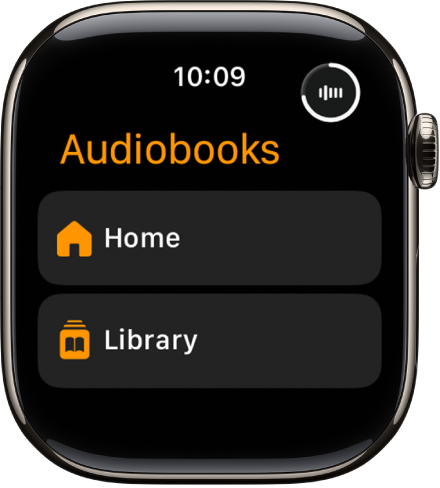
Do one of the following:
Play an audiobook in your library: Tap Library, then tap an audiobook.
Play an audiobook purchased by a family member: Tap My Family, then tap an audiobook.
Control playback
Go to the Audiobooks app
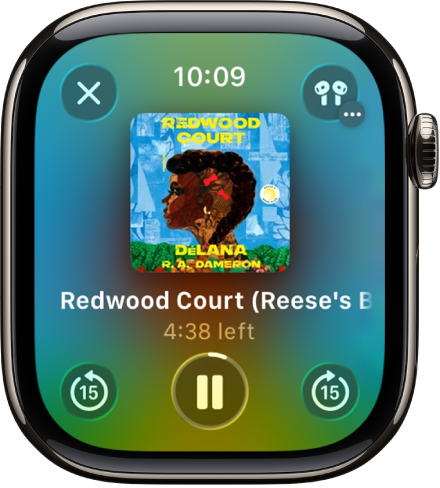
on your Apple Watch.While playing an audiobook, turn the Digital Crown to adjust the volume.
Use any of the following controls:
Play: Tap
 .
.Pause: Tap
 .
.Skip ahead or back 15 seconds: Tap
 or
or  .
.Select a chapter: Tap
 , then tap Tracks.
Adjust the playback speed: Tap
, then tap  to slow down or
  to speed up.
Change the audio output: Tap
, tap AirPlay, then choose a device. You can choose your paired iPhone, AirPods, paired Bluetooth headphones or speakers, or the Apple Watch speaker (supported models). See Choose an audio destination.
To hide the controls, press the Digital Crown.