iPhone User Guide
- Welcome
- What’s new in iOS 12
-
- Wake and unlock
- Learn basic gestures
- Learn gestures for iPhone X and later
- Use 3D Touch for previews and shortcuts
- Explore the Home screen and apps
- Change the settings
- Take a screenshot
- Adjust the volume
- Change the sounds and vibrations
- Search for content
- Use and customize Control Center
- View and organize Today View
- Access features from the Lock screen
- Travel with iPhone
- Set screen time, allowances, and limits
- Sync iPhone using iTunes
- Charge and monitor the battery
- Learn the meaning of the status icons
-
- Accessories included with iPhone
- Connect Bluetooth devices
- Stream audio and video to other devices
- Control audio on multiple devices
- AirPrint
- Use Apple EarPods
- Apple Watch
- Use Magic Keyboard
- Wireless charging
- Handoff
- Use Universal Clipboard
- Make and receive Wi-Fi calls
- Use iPhone as a Wi-Fi hotspot
- Share your iPhone Internet connection
- Transfer files with iTunes
-
-
- Get started with accessibility features
- Accessibility shortcuts
-
-
- Turn on and practice VoiceOver
- Change your VoiceOver settings
- Learn VoiceOver gestures
- Operate iPhone using VoiceOver gestures
- Control VoiceOver using the rotor
- Use the onscreen keyboard
- Write with your finger
- Control VoiceOver with Magic Keyboard
- Type onscreen braille using VoiceOver
- Use a braille display
- Use VoiceOver in apps
- Speak selection, speak screen, typing feedback
- Zoom in on the screen
- Magnifier
- Display settings
- Face ID and attention
-
- Guided Access
-
- Important safety information
- Important handling information
- Get information about your iPhone
- View or change cellular settings
- Learn more about iPhone software and service
- FCC compliance statement
- ISED Canada compliance statement
- Class 1 Laser information
- Apple and the environment
- Disposal and recycling information
- Copyright
A look at Home on iPhone
The Home app  provides a secure way to control and automate HomeKit-enabled accessories, such as lights, locks, smart TVs, thermostats, window shades, smart plugs, and cameras. With Home, you can control any “Works with Apple HomeKit” accessory using iPhone.
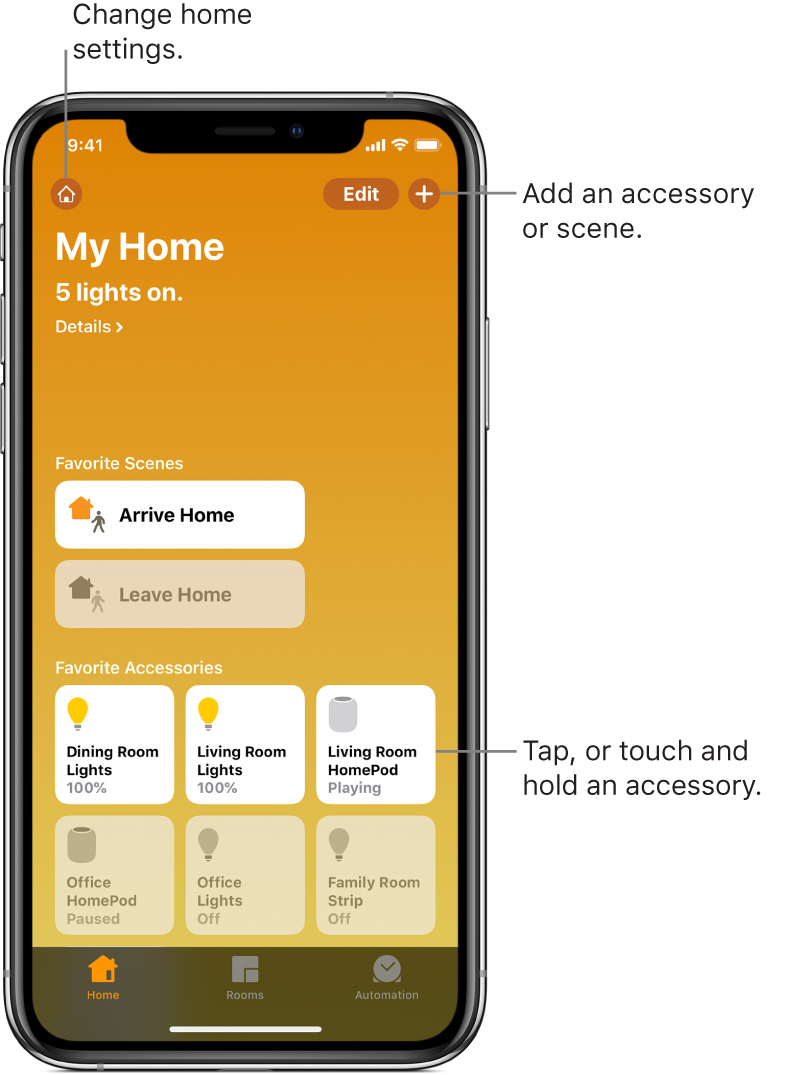
After you set up your home and its rooms, you can control accessories individually, or use scenes to control multiple accessories with one command. For example, you might create a scene called “going to bed” that turns off the lights around the house, dims the lights in the room “master bedroom” to 30 percent, then locks the front door and lowers the thermostat.
You can schedule scenes to run automatically at certain times, or when you activate a particular accessory (for example, when you unlock the front door). This also allows you, and others you invite, to securely control your home while you’re away. To control your home remotely, you must have an Apple TV (4th generation or later), HomePod, or iPad (with iOS 10.3 or later) that you leave at home.