
Use Music Mini Player on Mac
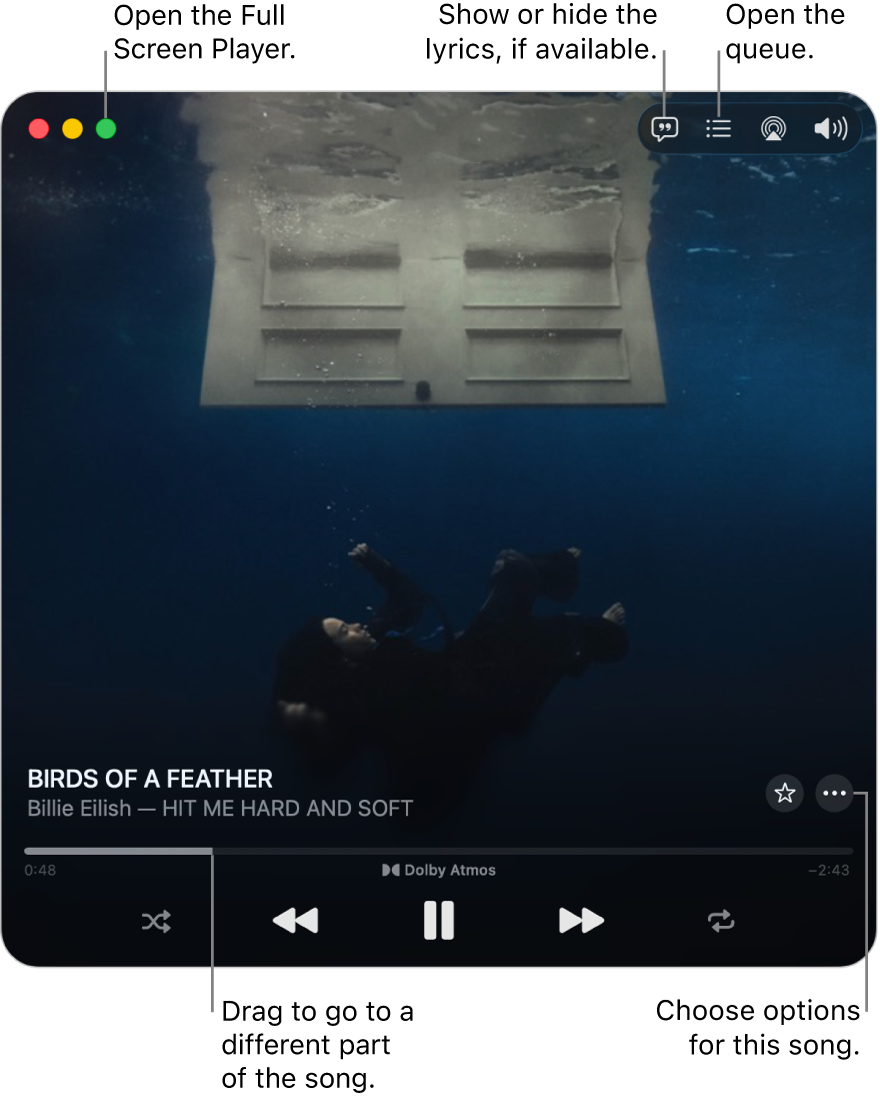
Mini Player takes up very little space on your screen and still lets you adjust the volume, search for songs, choose which songs play next and more.
Mini Player displays the album artwork for the song that’s playing. When you move the pointer over the artwork, controls appear.
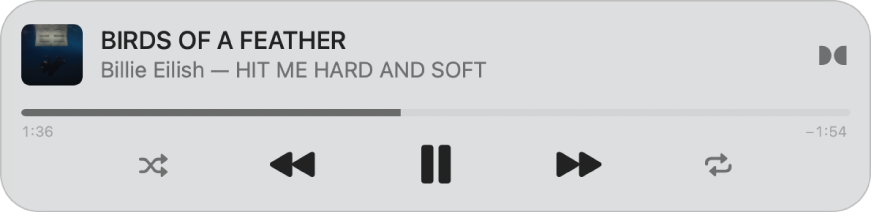
You can also shrink the Mini Player window to an even smaller size.
Note: Apple Music, lossless and Dolby Atmos aren’t available in all countries or regions. See the Apple Support article Availability of Apple Media Services.
Go to the Music app
on your Mac.Play music from your library, Apple Music, the radio or a CD.
Note: A song needs to be playing before you can use the Mini Player.
Choose Window > Switch to Mini Player.
If you subscribe to Apple Music, songs available in lossless have the Lossless icon
 next to them; songs available in Dolby Atmos have the Dolby icon
  next to them.
Do one of the following:
Shrink to the smaller Mini Player window: In the row of controls, click
 , then choose Hide Artwork.
To expand back to the full Mini Player, click
 , then choose Show Artwork.
Show lyrics: Click
 .
.To view the Full Screen Player, click
 in the top-left corner of the Mini Player window.
View and edit a list of upcoming songs: Click
 in the bottom-right corner of the Mini Player window.
Exit Mini Player: Click
 in the top-left corner of the Mini Player window.
Tip: To quickly open Mini Player or the Full Screen Player from the playback controls, click the album artwork, then choose an option.

To keep Mini Player in the foreground on your desktop, choose Music > Settings, click Advanced, then select “Keep Mini Player on top of all other windows”.