iPad User Guide
- iPad User Guide
- What’s new in iPadOS
- Supported models
-
- Wake and unlock
- Adjust the volume
- Change or turn off sounds
- Access features from the Lock screen
- Open apps on the Home screen
- Take a screenshot or screen recording
- Change or lock the screen orientation
- Change the wallpaper
- Zoom an app to fill the screen
- Drag and drop
- Search with iPad
- Use AirDrop to send items
- Perform quick actions
- Use and customize Control Center
- View and organize Today View
- Charge and monitor the battery
- Learn the meaning of the status icons
- Travel with iPad
-
-
- View photos and videos
- Edit photos and videos
- Edit Live Photos
- Edit Portrait mode photos
- Organize photos in albums
- Search in Photos
- Share photos and videos
- View Memories
- Find people in Photos
- Browse photos by location
- Use iCloud Photos
- Share photos with iCloud Shared Albums
- Use My Photo Stream
- Import photos and videos
- Print photos
- Shortcuts
- Stocks
- Tips
-
-
- Get started with accessibility features
-
-
- Turn on and practice VoiceOver
- Change your VoiceOver settings
- Learn VoiceOver gestures
- Operate iPad using VoiceOver gestures
- Control VoiceOver using the rotor
- Use the onscreen keyboard
- Write with your finger
- Use VoiceOver with an Apple external keyboard
- Type onscreen braille using VoiceOver
- Use a braille display
- Customize gestures and keyboard shortcuts
- Use VoiceOver with a pointer device
- Use VoiceOver in apps
- Zoom
- Magnifier
- Display & Text Size
- Motion
- Spoken Content
- Audio Descriptions
-
-
- Important safety information
- Important handling information
- Get information about your iPad
- View or change cellular settings
- Find more resources for software and service
- FCC compliance statement
- ISED Canada compliance statement
- Class 1 Laser information
- Apple and the environment
- Disposal and recycling information
- ENERGY STAR compliance statement
- Copyright
Move and organize apps on iPad
Rearrange the apps on the Home screen, organize them in folders, and move them to other pages (or screens).
Move apps around the Home screen, into the Dock, or to other pages
Touch and hold any app on the Home screen, then tap Edit Home Screen.
The apps begin to jiggle.
Drag an app to one of the following locations:
Another location on the same page
The Dock at the bottom of the screen
Another page—drag the app to the right edge of the screen. You might need to wait a second for the new page to appear. The dots above the Dock show how many pages you have, and which one you’re viewing.
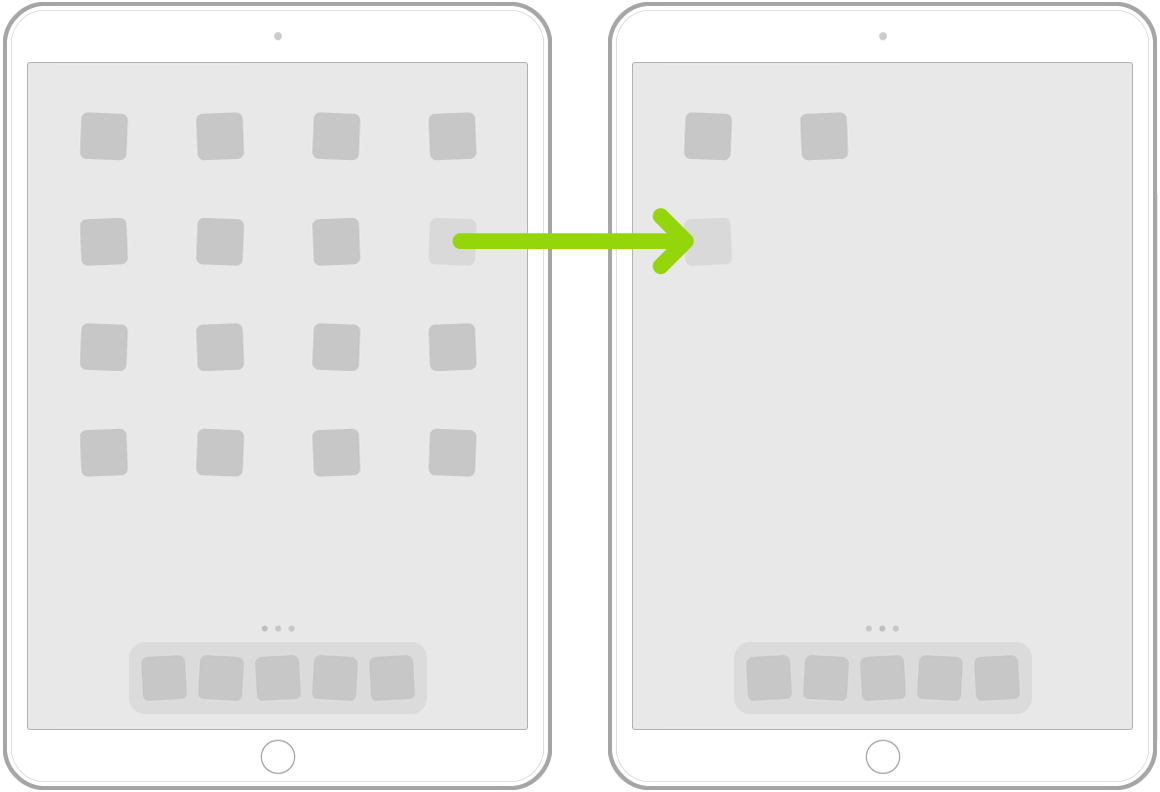
When you’re done, swipe up from the bottom edge of the screen (or press the Home button on an iPad with a Home button).
Create folders and organize your apps
You can group your apps in folders to help you find them more easily on the Home screen.
Touch and hold any app on the Home screen, then tap Edit Home Screen.
The apps begin to jiggle.
To create a folder, drag an app onto another app.
Drag other apps into the folder.
You can have multiple pages of apps in the folder.
To rename the folder, tap the name field, then enter the new name.
When you’re done, swipe up from the bottom edge of the screen or press the Home button (on an iPad with a Home button).
To delete a folder, drag all the apps out of the folder. The folder is automatically deleted.
Reset the Home screen and apps to their original layout
Go to Settings
 > General > Reset.
Tap Reset Home Screen Layout. Any folders you’ve created are removed, and apps you’ve downloaded are alphabetically ordered after apps that came with your iPad.