iPhone User Guide
- iPhone User Guide
- What’s new in iOS 13
- Supported iPhone models
-
- Wake and unlock
- Adjust the volume
- Change sounds and vibrations
- Access features from the Lock screen
- Open apps on the Home screen
- Take a screenshot or screen recording
- Change or lock the screen orientation
- Change the wallpaper
- Make screen items more reachable
- Search with iPhone
- Use AirDrop to send items
- Perform quick actions
- Use and customize Control Center
- View and organize Today View
- Charge and monitor the battery
- Learn the meaning of the status icons
- Travel with iPhone
-
- Calculator
- Compass
-
- View photos and videos
- Edit photos and videos
- Edit Live Photos
- Edit Portrait mode photos
- Organize photos in albums
- Search in Photos
- Share photos and videos
- View Memories
- Find people in Photos
- Browse photos by location
- Use iCloud Photos
- Share photos with iCloud Shared Albums
- Use My Photo Stream
- Import photos and videos
- Print photos
- Shortcuts
- Stocks
- Tips
- Weather
-
- Intro to CarPlay
- Connect to CarPlay
- Use Siri
- Use your car’s built-in controls
- Get turn-by-turn directions
- Change the map view
- Make phone calls
- Play music
- View your calendar
- Send and receive text messages
- Play podcasts
- Play audiobooks
- Listen to news stories
- Control your home
- Use other apps with CarPlay
- Rearrange icons on CarPlay Home
- Change settings in CarPlay
-
-
- Restart iPhone
- Force restart iPhone
- Update iOS
- Back up iPhone
- Return iPhone settings to their defaults
- Restore all content from a backup
- Restore purchased and deleted items
- Sell or give away your iPhone
- Erase all content and settings
- Restore iPhone to factory settings
- Install or remove configuration profiles
-
- Get started with accessibility features
-
-
- Turn on and practice VoiceOver
- Change your VoiceOver settings
- Learn VoiceOver gestures
- Operate iPhone using VoiceOver gestures
- Control VoiceOver using the rotor
- Use the onscreen keyboard
- Write with your finger
- Use VoiceOver with Magic Keyboard
- Type onscreen braille using VoiceOver
- Use a braille display
- Customize gestures and keyboard shortcuts
- Use VoiceOver with a pointer device
- Use VoiceOver in apps
- Zoom
- Magnifier
- Display & Text Size
- Motion
- Spoken Content
- Audio Descriptions
-
-
- Important safety information
- Important handling information
- Get information about your iPhone
- View or change cellular settings
- Find more resources for software and service
- FCC compliance statement
- ISED Canada compliance statement
- Ultra Wideband information
- Class 1 Laser information
- Apple and the environment
- Disposal and recycling information
- Copyright
Connect iPhone and your computer using USB
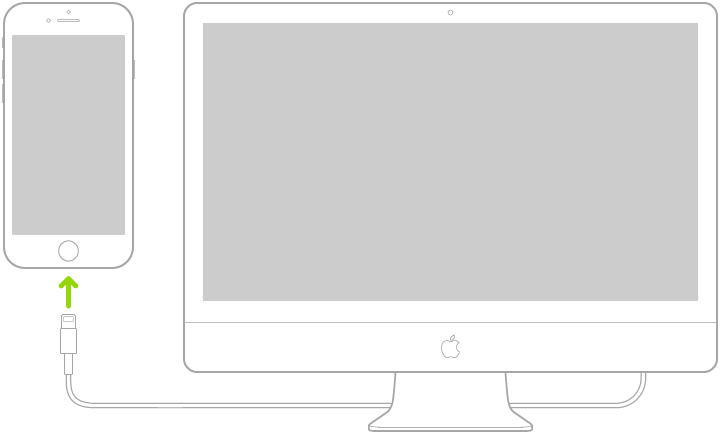
Using USB, you can directly connect iPhone and a Mac or Windows PC to set up iPhone, charge the iPhone battery, share your iPhone Internet connection, transfer files, and sync content.
Make sure you have one of the following:
Mac with a USB port and OS X 10.9 or later
PC with a USB port and Windows 7 or later
Connect iPhone to your computer using the included Lightning to USB Cable or USB-C to Lightning Cable (iPhone 11 Pro or iPhone 11 Pro Max). If the included cable doesn’t connect to your computer, do one of the following:
If your iPhone uses the Lightning to USB Cable and your computer has a USB-C port, use a USB-C to Lightning Cable or USB-C to USB Adapter (sold separately).
If your iPhone uses the USB-C to Lightning Cable and your computer has a USB port, use a Lightning to USB Cable (sold separately).