Modifying this control will update this page automatically
Apple Watch User Guide
- Welcome
- What’s new
- Run with Apple Watch
-
- Alarms
- Audiobooks
- Blood Oxygen
- Calculator
- Calendar
- Camera Remote
- ECG
- Medications
- Memoji
- Music Recognition
- News
- Now Playing
- Remote
- Shortcuts
- Siren
- Stocks
- Stopwatch
- Tides
- Timers
- Use the Tips app
- Translate
- Vitals
- Voice Memos
- Walkie-Talkie
- World Clock
- Copyright and trademarks
Turn on Schooltime in Control Center on Apple Watch
In Control Center, you can turn on Schooltime any time you want to focus. You might use Schooltime as an alternative to Do Not Disturb or Theater Mode when you want to silence notifications and check the time easily with fewer visual distractions.
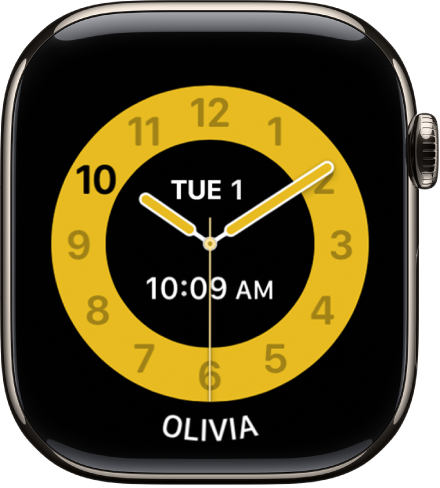
Add Schooltime to Control Center
Press the side button to open Control Center on Apple Watch.
Scroll to the bottom, then tap Edit.
Tap
 next to Schooltime, then tap Done.
Turn on Schooltime in Control Center
Press the side button to open Control Center on Apple Watch.
Tap
 .
.
See alsoGet started with Schooltime on Apple WatchSilence notifications for extended periods on Apple WatchUse Focus on Apple Watch
Thanks for your feedback.