Apple Watch User Guide
- Welcome
- What’s new
-
- Get started
- Your Apple Watch
- Apple Watch gestures
- Set up and pair your Apple Watch with iPhone
- The Apple Watch app
- Charge Apple Watch
- Turn on and wake Apple Watch
- Lock or unlock Apple Watch
- Change language and orientation on Apple Watch
- Remove, change, and fasten Apple Watch bands
- Stay fit with Apple Watch
- Track important health information with Apple Watch
- Stay connected with Apple Watch
-
- Apps on Apple Watch
- Open apps
- Organize apps
- Get more apps
- Tell time
- Status icons
- Control Center
- Adjust brightness, text size, sounds, and haptics
- Siri
- Listen and respond to messages
- See and respond to notifications
- Use shortcuts
- Create an emergency Medical ID
- Manage fall detection
- Set up Handwashing
- Connect Apple Watch to a Wi-Fi network
- Connect to Bluetooth headphones or speakers
- Hand off tasks from Apple Watch
- Unlock your Mac with Apple Watch
- Unlock iPhone with Apple Watch
- Use Apple Watch without its paired iPhone
- Use your Apple Watch with a cellular network
- Copyright
Use shortcuts on Apple Watch
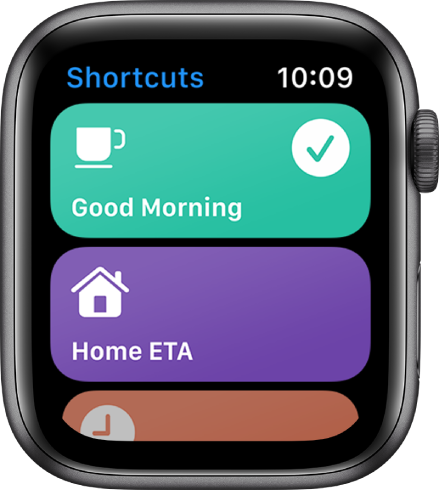
The Shortcuts app  on Apple Watch lets you trigger tasks with just a tap. With the shortcuts you create on your iPhone, you can quickly get directions home, create a top 25 playlist, and more. You can run shortcuts from the Shortcuts app or add them as complications to your watch face.
Note: Not all shortcuts on iPhone are compatible with Apple Watch.
Run a shortcut
Open the Shortcuts app
on your Apple Watch.Tap a shortcut.
Add a shortcut complication
Touch and hold the watch face, then tap Edit.
Swipe left to the Complications screen, then tap a complication.
Scroll to Shortcuts, then choose a shortcut.
Add more shortcuts to Apple Watch
Open the Shortcuts app on your iPhone.
Tap
 in the top-right corner of a shortcut.
Tap
on the shortcut screen, then turn on Show on Apple Watch.
See the Shortcuts User Guide for information about creating and using shortcuts.