Modifying this control will update this page automatically
iPhone User Guide
- iPhone User Guide
- What’s new in iOS 13
- Supported iPhone models
-
- Wake and unlock
- Adjust the volume
- Change sounds and vibrations
- Access features from the Lock screen
- Open apps on the Home screen
- Take a screenshot or screen recording
- Change or lock the screen orientation
- Change the wallpaper
- Make screen items more reachable
- Search with iPhone
- Use AirDrop to send items
- Perform quick actions
- Use and customize Control Center
- View and organize Today View
- Charge and monitor the battery
- Learn the meaning of the status icons
- Travel with iPhone
-
- Calculator
- Compass
-
- View photos and videos
- Edit photos and videos
- Edit Live Photos
- Edit Portrait mode photos
- Organize photos in albums
- Search in Photos
- Share photos and videos
- View Memories
- Find people in Photos
- Browse photos by location
- Use iCloud Photos
- Share photos with iCloud Shared Albums
- Use My Photo Stream
- Import photos and videos
- Print photos
- Shortcuts
- Stocks
- Tips
- Weather
-
- Intro to CarPlay
- Connect to CarPlay
- Use Siri
- Use your car’s built-in controls
- Get turn-by-turn directions
- Change the map view
- Make phone calls
- Play music
- View your calendar
- Send and receive text messages
- Play podcasts
- Play audiobooks
- Listen to news stories
- Control your home
- Use other apps with CarPlay
- Rearrange icons on CarPlay Home
- Change settings in CarPlay
-
-
- Restart iPhone
- Force restart iPhone
- Update iOS
- Back up iPhone
- Return iPhone settings to their defaults
- Restore all content from a backup
- Restore purchased and deleted items
- Sell or give away your iPhone
- Erase all content and settings
- Restore iPhone to factory settings
- Install or remove configuration profiles
-
- Get started with accessibility features
-
-
- Turn on and practice VoiceOver
- Change your VoiceOver settings
- Learn VoiceOver gestures
- Operate iPhone using VoiceOver gestures
- Control VoiceOver using the rotor
- Use the onscreen keyboard
- Write with your finger
- Use VoiceOver with Magic Keyboard
- Type onscreen braille using VoiceOver
- Use a braille display
- Customize gestures and keyboard shortcuts
- Use VoiceOver with a pointer device
- Use VoiceOver in apps
- Zoom
- Magnifier
- Display & Text Size
- Motion
- Spoken Content
- Audio Descriptions
-
-
- Important safety information
- Important handling information
- Get information about your iPhone
- View or change cellular settings
- Find more resources for software and service
- FCC compliance statement
- ISED Canada compliance statement
- Ultra Wideband information
- Class 1 Laser information
- Apple and the environment
- Disposal and recycling information
- Copyright
Find and buy books and audiobooks in Apple Books on iPhone
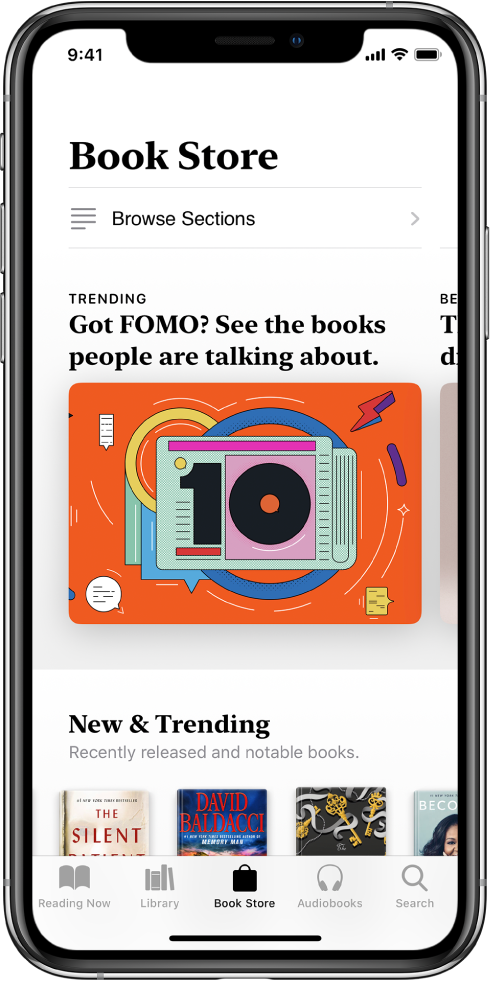
In the Books app  , you can find and purchase books and audiobooks directly from Apple Books, and then read or listen to them right in the app.
Open Books, then tap Book Store or Audiobooks to browse titles, or tap Search to look for a specific title.
Tap a book cover to see more details, read a sample, listen to a preview, or mark as Want to Read.
Tap Buy to purchase a title, or tap Get to download a free title.
All purchases are made with the payment method associated with your Apple ID.
Thanks for your feedback.