Apple Watch User Guide
- Welcome
- What’s new
-
- Open apps
- Apps on Apple Watch
- Organize apps
- Get more apps
- Tell time
- Status icons
- Control Center
- Adjust brightness, text size, sounds, and haptics
- Siri
- See and respond to notifications
- Create an emergency Medical ID
- Manage fall detection
- Connect Apple Watch to a Wi-Fi network
- Connect to Bluetooth headphones or speakers
- Hand off tasks from Apple Watch
- Unlock your Mac with Apple Watch
- Use Apple Watch without its paired iPhone
- Use your Apple Watch with a cellular network
- Copyright
Display stock information on the watch face
Choose the stock shown on the watch face
Open the Apple Watch app on your iPhone.
Tap My Watch, tap Stocks, then choose a default stock.
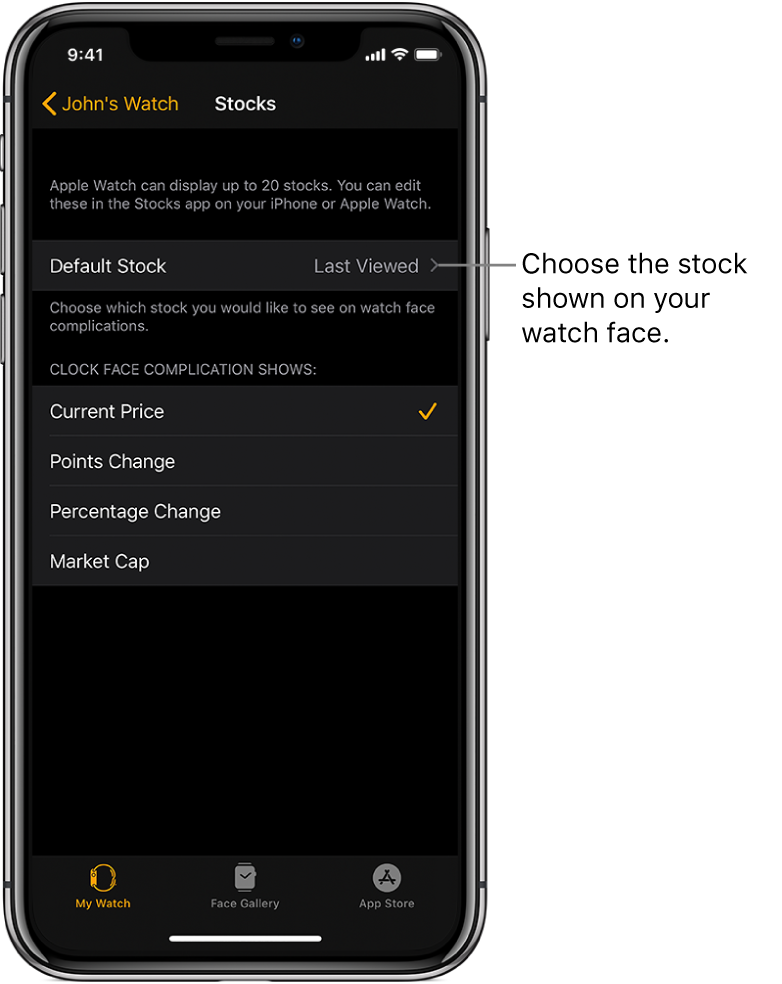
Choose the data you see on the watch face
Open the Apple Watch app on your iPhone.
Tap My Watch, tap Stocks, then tap Current Price, Points Change, Percentage Change, or Market Cap.
By default your Apple Watch displays the last stock you viewed.
Thanks for your feedback.