Modifying this control will update this page automatically
Apple Watch User Guide
- Welcome
- What’s new
- Run with Apple Watch
-
- Alarms
- Audiobooks
- Blood Oxygen
- Calculator
- Calendar
- Camera Remote
- ECG
- Medications
- Memoji
- Music Recognition
- News
- Now Playing
- Remote
- Shortcuts
- Siren
- Stocks
- Stopwatch
- Tides
- Timers
- Use the Tips app
- Translate
- Vitals
- Voice Memos
- Walkie-Talkie
- World Clock
- Copyright and trademarks
Record and play voice memos on Apple Watch
Use the Voice Memos app on Apple Watch to record personal notes.
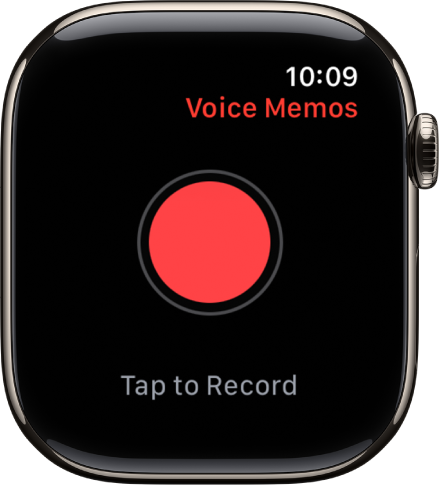
Record a voice memo
Go to the Voice Memos app
 on your Apple Watch.
Tap
 .
.Tap
 to end the recording.
Play a voice memo
Go to the Voice Memos app
on your Apple Watch.Tap a recording on the Voice Memos screen, then tap
 to play it.
Tap
 or
or  to skip ahead or back, respectively.
Play voice memos on your other Apple devices
On your iPhone: Tap
 to see the Voice Memos screen, then tap Watch Recordings.
On your other devices: When Voice Memos is turned on in iCloud settings or preferences, your recordings appear on all devices where you’re signed in to the same Apple Account.
See alsoPlay music on Apple WatchPlay audiobooks on Apple WatchPlay podcasts on Apple WatchUse Now Playing on Apple Watch
Thanks for your feedback.