Apple Watch User Guide
- Welcome
- What’s new
- Run with Apple Watch
-
- Alarms
- App Store
- Blood Oxygen
- Calculator
- Calendar
- Camera Remote
- ECG
- Medications
- Memoji
- Music Recognition
- News
- Now Playing
- Reminders
- Remote
- Shortcuts
- Siren
- Stocks
- Stopwatch
- Tides
- Timers
- Use the Tips app
- Translate
- Vitals
- Voice Memos
- Walkie-Talkie
- World Clock
-
- VoiceOver
- Set up Apple Watch using VoiceOver
- Apple Watch basics with VoiceOver
- Apple Watch Mirroring
- Control nearby devices
- AssistiveTouch
- Use a braille display
- Use a Bluetooth keyboard
- Zoom
- Tell time with haptic feedback
- Adjust text size and other visual settings
- Adjust motor skills settings
- Set up and use RTT
- Accessibility audio settings
- Type to speak
- Automatically open the focused app
- Use accessibility features with Siri
- The Accessibility Shortcut
- Copyright and trademarks
Stay connected with Apple Watch
Apple Watch makes it easy to communicate with friends, family, and coworkers, even when your iPhone isn’t with you.
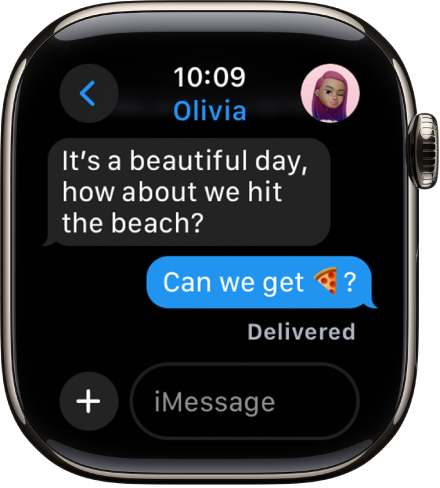
Send a message, right from your wrist
Quickly respond to a message with Siri. When Apple Watch is connected to Wi-Fi or cellular, just raise your wrist and say, “Tell Julie I’ll be there in five minutes.” Or touch and hold the message to give your friend a thumbs up with a Tapback reply.

Make a call
Use Siri to help you make a quick call. For an Apple Watch with a cellular or Wi-Fi connection, raise your wrist and say “Call Mom.” If you have a Wi-Fi connection, a simple “FaceTime Mom” does the trick. You can also join a Group FaceTime audio call.

Share your live location
Meeting a friend? Apple Watch can let them know where you are and update your location automatically. Open the Messages app  , start a new message or open a conversation, tap
  , tap Location, then start sharing your location.

Care to share?
You can share any photo on your Apple Watch—a favorite photo you’ve synced from iPhone or one of several images from a memory. Just select a photo, tap  , then share via Messages or Mail.