Final Cut Pro User Guide for Mac
- Welcome
- What’s new
-
- Intro to importing media
- If it’s your first import
- Organize files during import
-
- Import from Image Playground
- Import from iMovie for macOS
- Import from iMovie for iOS or iPadOS
- Import from Final Cut Pro for iPad
- Import from Final Cut Camera
- Import from Photos
- Import from Music
- Import from Apple TV
- Import from Motion
- Import from GarageBand and Logic Pro
- Import using workflow extensions
- Record into Final Cut Pro
- Memory cards and cables
- Supported media formats
-
- Intro to effects
-
- Intro to transitions
- How transitions are created
- Add transitions and fades
- Quickly add a transition with a keyboard shortcut
- Set the default duration for transitions
- Delete transitions
- Adjust transitions in the timeline
- Adjust transitions in the inspector and viewer
- Merge jump cuts with the Flow transition
- Adjust transitions with multiple images
- Modify transitions in Motion
- Add adjustment clips
-
- Add storylines
- Use the precision editor
- Conform frame sizes and rates
- Use XML to transfer projects
-
- Intro to sharing projects
- Share to Apple devices
- Share on the web
- Send a video frame to Pixelmator Pro
- Share in email
- Share stereo or spatial video
- Batch sharing
- Share using Compressor
- Create share destinations
- Change metadata for shared items
- View the status of shared items
- Speed up exports with simultaneous processing
- Glossary
- Copyright and trademarks
Add the default audio effect in Final Cut Pro for Mac
You can set a default audio effect and quickly add it to your project clips using the Option-Command-E keyboard shortcut or a menu command.
Final Cut Pro comes with the default audio effect set to Channel EQ, but you can change the default effect to any audio effect in the Effects browser, including custom audio effects presets. For more information about audio effects presets, see Save audio effects presets.
Add the default audio effect to project clips
In the Final Cut Pro timeline, select one or more clips that contain audio components.
Choose Edit > Add [effect name] (or press Option-Command-E).
Note: The name of the menu item changes depending on the current default audio effect.
Set the default audio effect
Click the Effects button in the top-right corner of the Final Cut Pro timeline (or press Command-5).
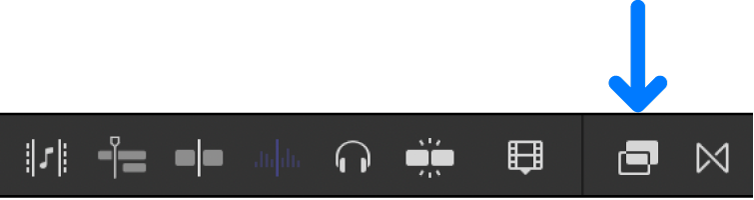
Control-click an audio effect or an audio effects preset in the Effects browser, then choose Make Default Audio Effect.
Download this guide: PDF