Multiple line syntax

- any legal java string
- 0-n white-space characters (space,\t, \r, \n)
- /** standard java documentation comment start flag
- ~ or = indicates that multiline string (Note: ** and ~ are closely at the order, no space)
~: Ignore blank lines at the beginning and the first non-blank line as the indenting standards
=: Keep full format - ! [option] Indicates multiline string can contain variables that start with $.
$var or $ {var} or ${Java program code fragment}
xyz means string: xyz - 0-n white-space characters
- { multiline string start flag
- any text content(Note: If text content contains end flag */ then use &;/ instead)
- } multiline string end flag
- 0-n white-space characters
- */ standard java documentation comment end flag
Plugin installed, you can follow the above syntax for writing multiline string. plugin detail
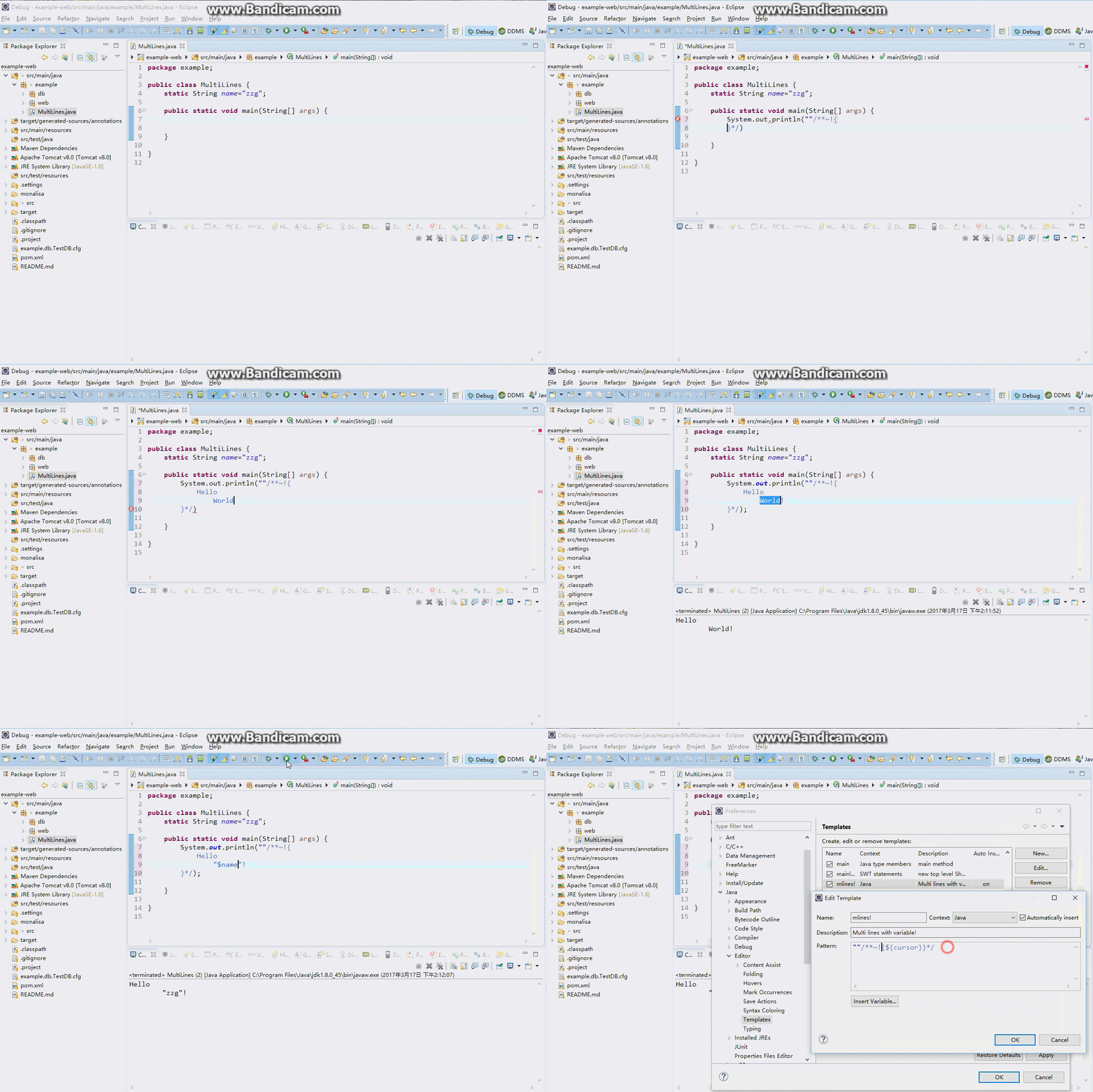
In order to easy writting, please setup Java editor templates, so just need to input "mline", it will automatically insert the multiple-line syntax!
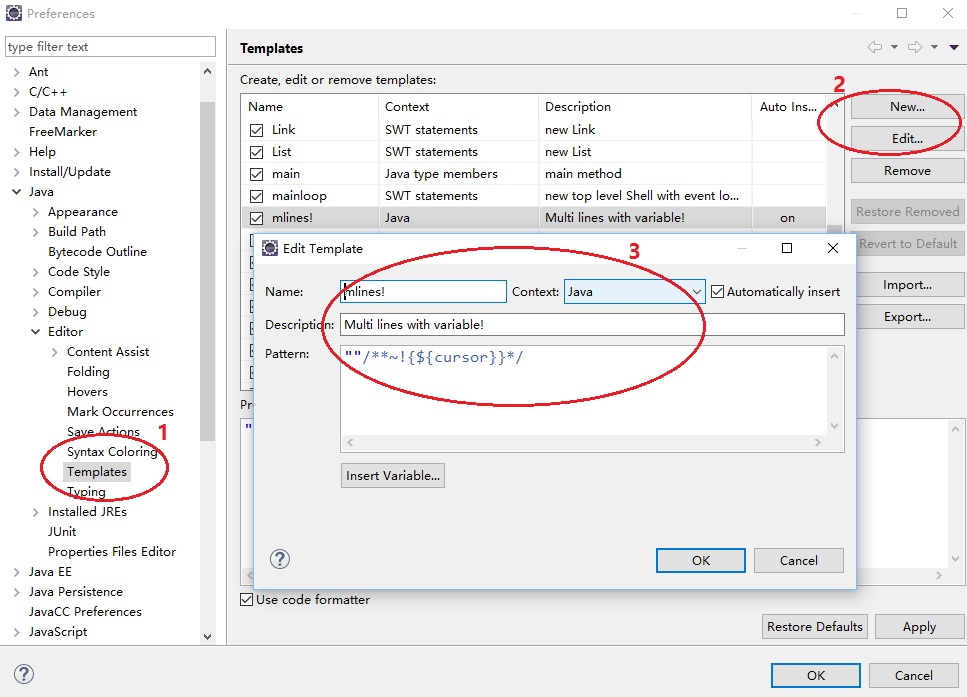
Template setting: Windows->Preferences->Java->Editor->Templates, create new name: mline, input:
""{${cursor}}*/
Special Note: Move mouse on the light red areas, you can see the original java code.

java String lines = ""/**~ { SELECT * FROM user WHERE name="abc" }*/; System.out.println(lines);
sql SELECT * FROM user WHERE name="abc"
java String name="abc"; System.out.println(""/**~!{ This is an example with var$: name="$name" OR name=${name} OR ${"xyz".equals(name)?"A":"B":"C"} }*/);
sql This is an example with var$: name="zzg" OR name=zzg OR B
java System.out.println(" "{ SELECT * FROM user WHERE name="zzg" }*/);
sql SELECT FROM user WHERE name="xyz"
java String lines = "Hello {"World!"} \r\n }*/; System.out.println(lines);
sql Hello {"World!"} \r\n
java String lines = "H"/**= { ello / "World!" }/; System.out.println(lines);
sql H ello */ "World!"